
1
Open the Extensions menu
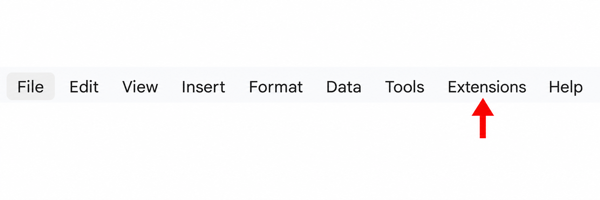
Open your spreadsheet and click Extensions in the Google Sheets top menu.
Google Workspace add-on
Turn any Google Sheet into an early-warning system. Build rules in minutes and deliver alerts to the channels your team already uses.
Build unlimited checkpoints for edits, form submissions, and live operational changes. Zetomation handles message delivery, templating, and routing so your team sees the right update in email, SMS, Slack, Microsoft Teams, Discord, Google Chat, Telegram, or webhooks without chasing the sheet manually.
Quick start
After installing the add-on, start inside Google Sheets. Follow the two highlighted controls below to launch the add-on.
Open your spreadsheet and click Extensions in the Google Sheets top menu.
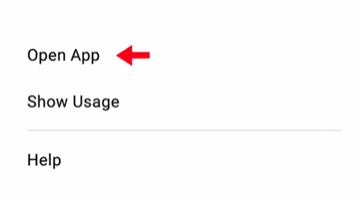
Choose Zeto Sheet Notification & Alerts from Extensions, then click Open App.
After the add-on opens: Create a checkpoint, select its trigger and conditions, then configure where notifications should be sent.
Build unlimited notification rules that monitor every edit, append, or form response. Zetomation handles delivery reliability, retries, and templating so you can focus on the message.
Monitor every edit
Watch specific columns, entire sheets, or form submissions. Zetomation evaluates each change in seconds.
Route alerts anywhere
Send branded emails, SMS, Slack, Discord, Google Chat, Microsoft Teams, Telegram, and webhook alerts.
Stay in control
Pause rules with range switches, edit checkpoints anytime, and audit notification history.

Live workflow
When inventory falls below the threshold
Destinations
Email, SMS, Slack, Microsoft Teams, Discord, Google Chat, Telegram, and webhook-based downstream systems.
Teams use checkpoints to monitor the moments that matter instead of polling dashboards.
Celebrate closed deals instantly, nudge reps on aging opportunities, and escalate high-value updates.
Alert account owners when churn risks appear or when onboarding milestones are missed.
Keep an audit trail for configuration changes and notify admins the moment sensitive data shifts.
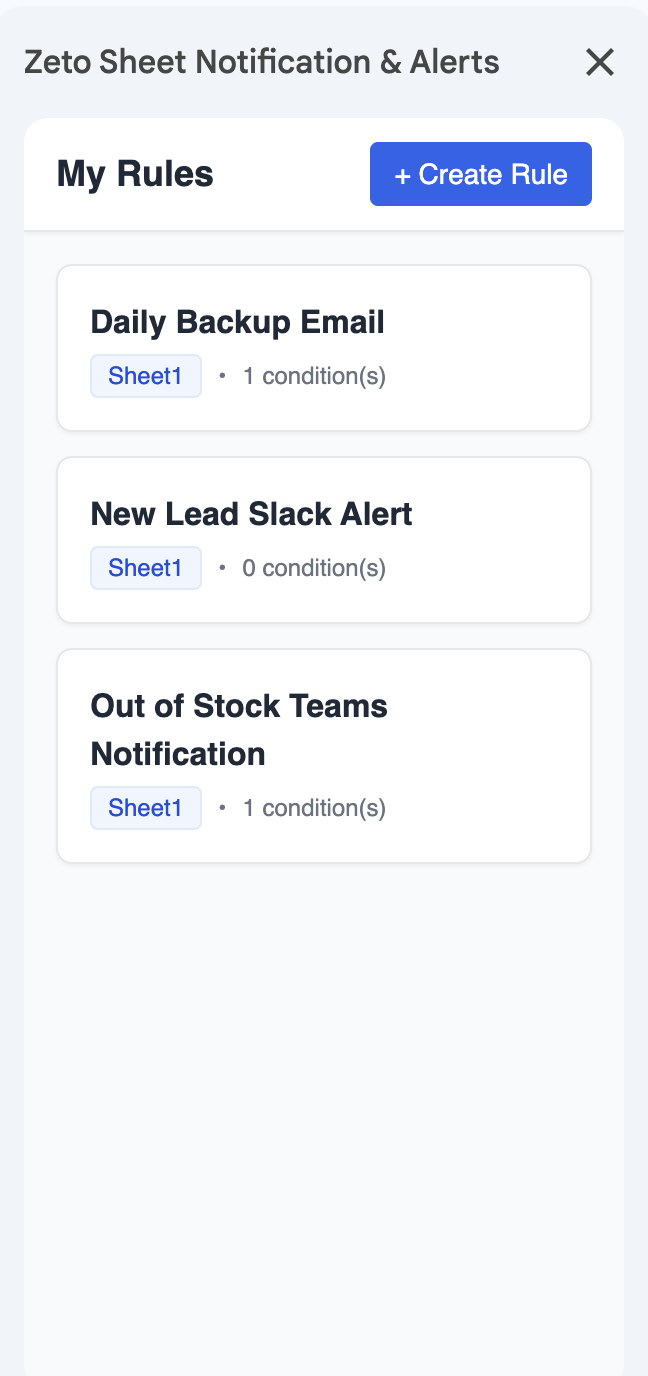
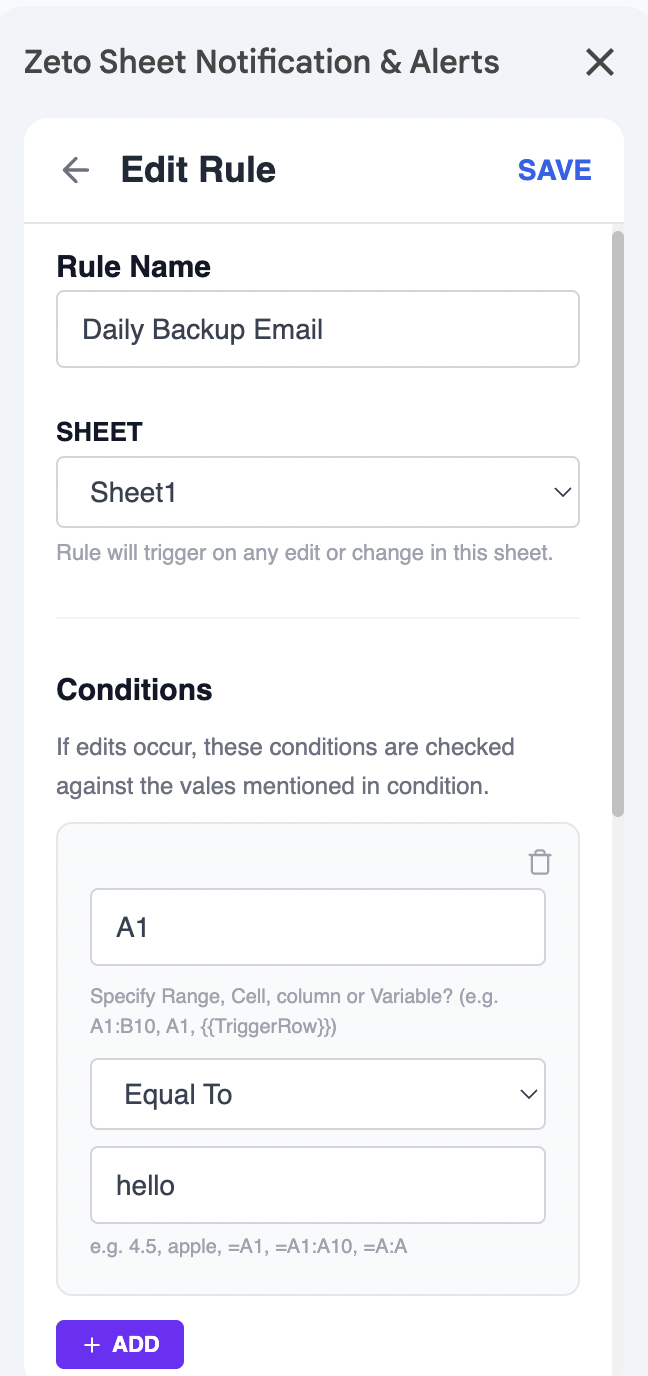
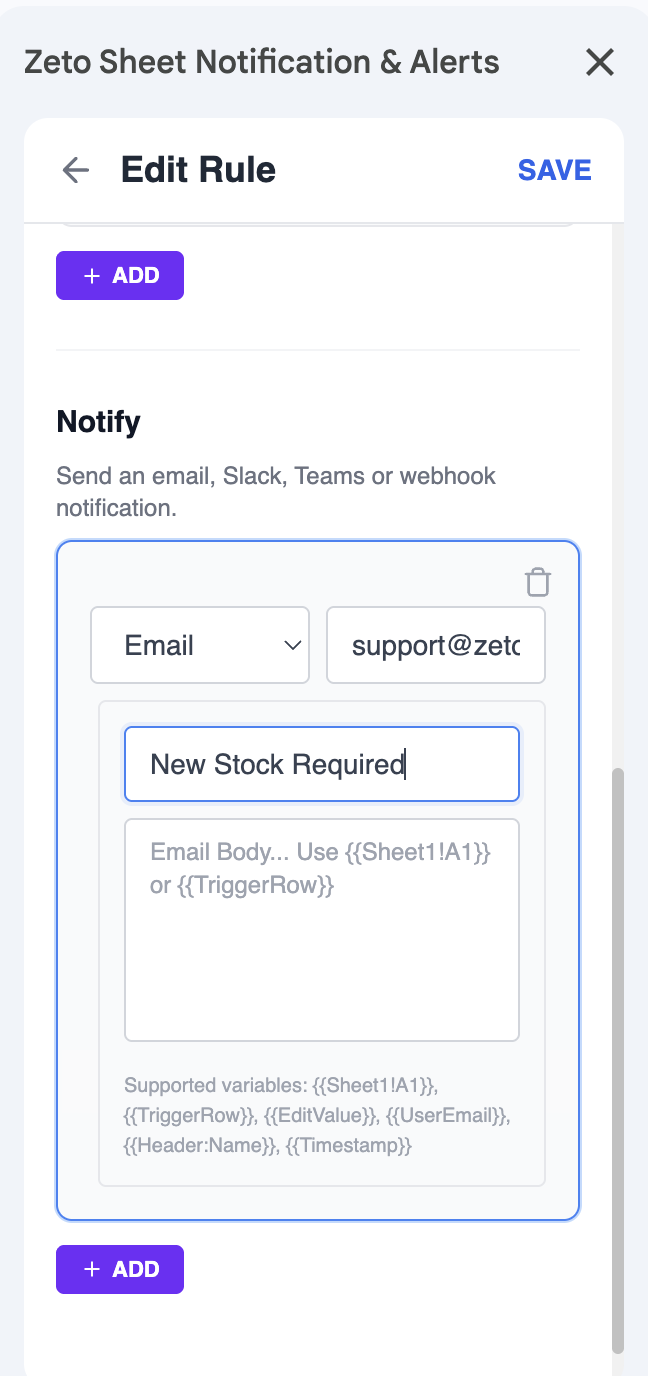
Open the add-on sidebar, name the rule, choose the sheet, and decide which triggers to watch—edits, new rows, or form submissions.
Filter by column values, ranges, or dynamic variables so alerts only fire when the right scenario occurs.
Send emails, chat messages, or webhook payloads. Personalize each message with spreadsheet data.
Install the add-on from Google Workspace Marketplace or follow our detailed documentation to configure your first checkpoint. Need help mapping complex logic? Contact support.