
A policy acknowledgement form should record who responded, which policy version they reviewed, and what they acknowledged. Google Forms can collect those answers, and ZetoSign can collect a drawn signature with them on a hosted signing page.
Use the copyable questions below to build a form for a specific policy release or employee handbook edition. The workflow also includes a simple way to track outstanding responses without treating a list of submissions as a complete employee roster.
Choose one policy version
Identify the policy title, version, and effective date before you build the form. A demonstration might use Equipment Use Policy, version 2.1, effective 1 October 2026. “Handbook received” alone becomes ambiguous when the handbook changes.
Retain a copy of that version in your organization’s policy records. If the form links to a document, confirm that the intended employees can open it and that the same link will not silently begin showing a different edition.
Include the version in a required question so it is recorded with the answers. Check the hosted page after syncing; images and section logic from the source Google Form are not migrated.
Copy these policy acknowledgement questions
Form title: Policy acknowledgement for [policy title and version]
Suggested introduction:
Please review the policy identified below before completing this acknowledgement. If you cannot access the policy or have a question about it, contact the policy owner before signing.
| Question or record | Suggested field | Purpose |
|---|---|---|
| Employee full name | Required short answer | Records the submitted name |
| Employee reference or work email | Required short answer | Supports roster matching |
| Team or department | Dropdown | Helps route follow-up |
| Policy title, version, and effective date | Required single-option multiple choice | Records the specific release |
| I have received and reviewed the named policy | Required single-option checkbox | Captures the acknowledgement |
| Questions or comments for the policy owner | Optional paragraph | Makes follow-up possible |
Replace every bracketed placeholder before publishing. Provide the actual policy link and contact details in the form introduction, then verify they are readable on the hosted signing page. A respondent should be able to find the policy without searching a separate email chain.
Make the acknowledgement specific
Suggested checkbox wording:
I acknowledge that I have received and reviewed [policy title], version [version], effective [date]. I know how to contact [policy owner or team] with questions about the policy.
Ask the policy owner to approve the final wording. Receipt, understanding, and agreement are different statements; use the statement that fits your process. An acknowledgement should not quietly introduce new employment terms.
Give employees a way to ask questions or report that they cannot access the material before they sign. Do not require someone to confirm that they reviewed a document they could not open.
Create the hosted signing page
- Follow the ZetoSign installation and signature setup guide.
- Sync the source Google Form, keeping the internal Zeto Signature Link question.
- Review the policy reference, questions, and acknowledgement on the hosted page.
- Check the native response connection as described in the product documentation.
- Share the generated ZetoSign signing link with the intended employees.
Send an accompanying instruction such as: “Review Equipment Use Policy v2.1 before completing the acknowledgement. Contact the policy owner if you need help accessing or interpreting it.” Give people enough time to do that.
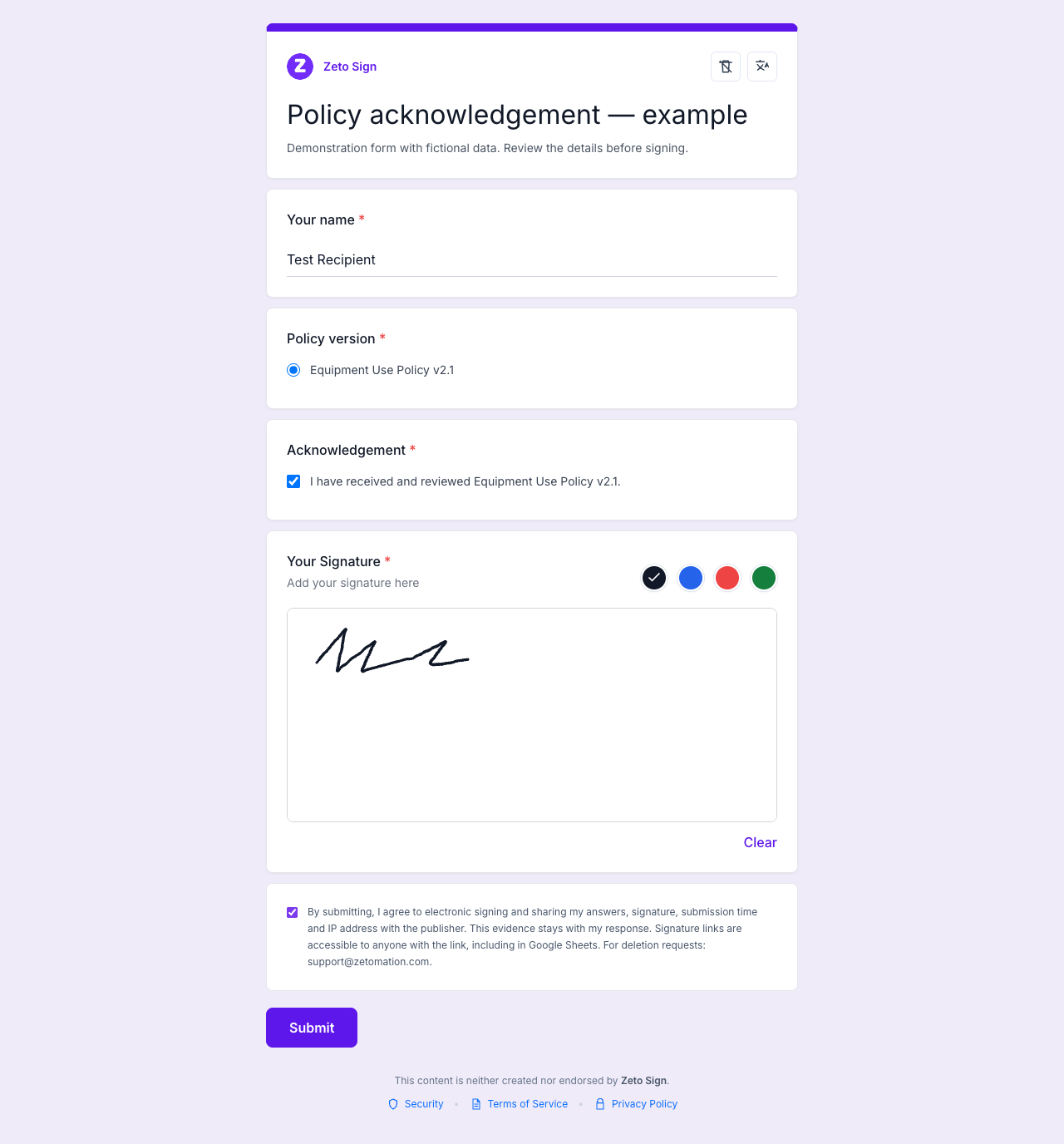
Run a complete test with fictional information. Confirm the saved response contains the exact version and acknowledgement answer alongside the signature. Names and email addresses entered in the form are self-reported; a drawn signature does not make them verified identity.
Compare responses with the intended roster
The response list tells you who submitted. To identify who has not responded, compare it with a separate list of the people expected to complete this policy acknowledgement.
| Employee reference | Expected policy | Review outcome |
|---|---|---|
| TEST-EMP-001 | Equipment Use Policy v2.1 | Matching response found |
| TEST-EMP-002 | Equipment Use Policy v2.1 | No matching response; check access |
| TEST-EMP-003 | Equipment Use Policy v2.1 | Duplicate responses; review both records |
Use a stable reference where your organization’s process permits it. Decide who will investigate an unknown reference, duplicate submission, wrong version, or inaccessible policy document.
If you track responses in Google Sheets, verify that the hosted submissions reached the linked Sheet before marking someone as missing. The Sheets response guide explains how to investigate a record saved in ZetoSign but absent from the spreadsheet.
Keep review status separate from the original answers. Roster comparisons and reminders described here are tasks for your team or separately configured tools; they are not automatic ZetoSign features.
Handle the next policy update
When the policy changes, retain the old version and its acknowledgement records. Create a clearly identified new release and collect fresh responses if your policy process requires them. A separate form for each version can make those boundaries easier to maintain.
Before sharing a new link, check that the version in the policy document, form question, and acknowledgement wording agrees. Re-sync, test the hosted page, and record when the new collection began.
Restrict access to employee records. Signature-image URLs remain accessible to anyone who has the link, so avoid distributing response spreadsheets or signature links broadly. Use approved retention and correction processes for employee information.
Common questions
Can this be used for an employee handbook?
Yes, for acknowledging a clearly identified edition. Make the complete edition accessible and use wording approved by your policy owner.
Does a signature prove the employee understood every clause?
No. Provide a way to ask questions and follow the review process your organization requires. The form records the submitted acknowledgement.
Can this template serve as an employment contract?
This template covers policy acknowledgement. An employment contract may need a different document, signing process, and review. Have the responsible team choose that process.
Can employees sign inside the original Google Form?
Share the hosted ZetoSign link to collect a drawn signature. The original Google Forms response URL does not include ZetoSign’s signature area.
Choose the policy version, provide access to it, and agree how your team will resolve exceptions. Explore ZetoSign to collect a signature alongside those acknowledgement answers, or contact support for setup help.
Related guides
- How to Add a Signature to Google Forms With ZetoSign
- Collect Google Forms Signatures in Google Sheets
Written by the Zetomation team, which builds and maintains Zeto Sign and the Zetomation Google Workspace add-ons.